
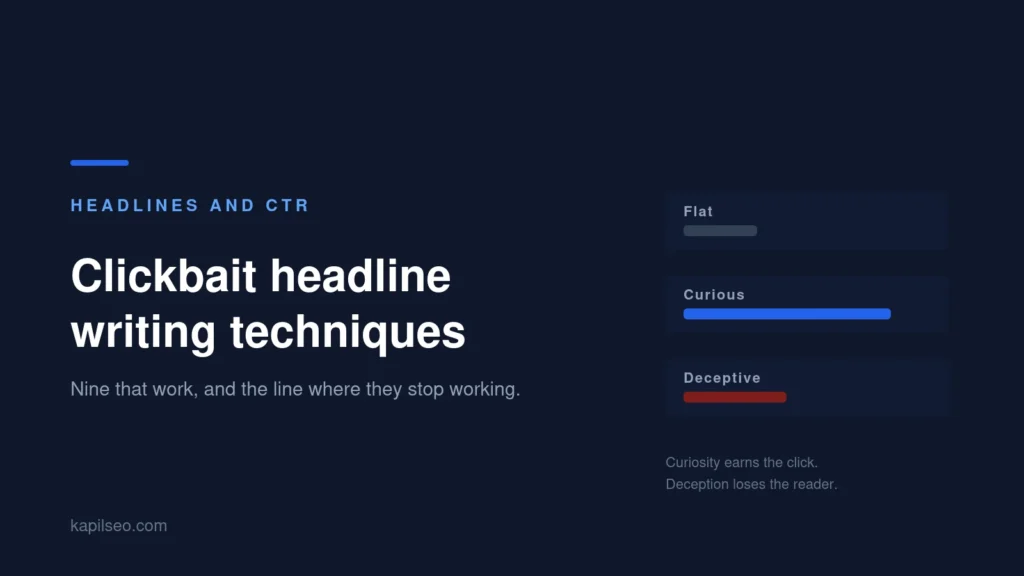
The clickbait headline writing techniques that still work are the ones that open a curiosity gap and then close it: a specific number, a named mistake, a contradicted expectation, a concrete outcome, or a question phrased the way the reader would ask it. The ones that stopped working are the ones that promise something the page does not deliver, because the click is where the old model ended and the modern one begins.
There is a constraint nobody writing about this seems to mention. Google rewrites about 61% of title tags, so a headline built purely for shock may never be the thing a searcher actually sees.
Last updated 20 September 2026.
Nine clickbait headline writing techniques, with the rewrite
Each one below is the mechanism, then a flat headline, then the same headline using it.
- A specific number. Odd and unrounded beats round, because it reads as counted rather than guessed. “Tips for better emails” becomes “7 email openers that get replies”.
- A time cost. Tell the reader what the article will cost them. “A guide to keyword research” becomes “Keyword research in 20 minutes”.
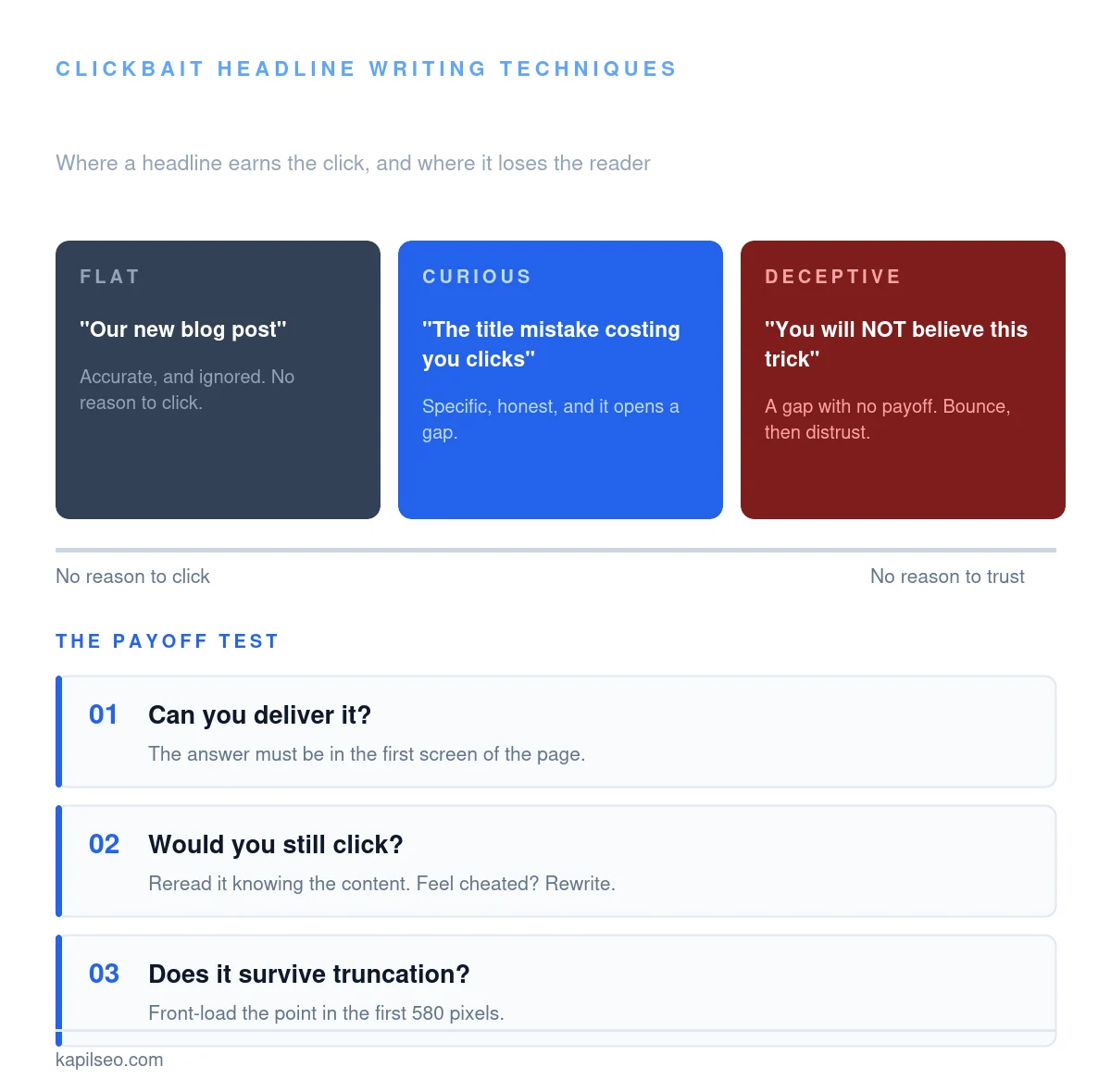
- Name the mistake. People click harder to avoid loss than to gain. “Improve your titles” becomes “The title mistake costing you clicks”.
- Contradict the expectation. Only when you can defend it. “Do backlinks matter?” becomes “Why more backlinks made this site rank worse”.
- Name the reader. A qualifier filters and flatters at once. “SEO basics” becomes “SEO basics for people who hate SEO”.
- Promise the outcome, not the topic. “Our approach to reporting” becomes “Cut your monthly report to 40 minutes”.
- Ask the question they typed. Mirror the search. “Nofollow explained” becomes “Do nofollow links help SEO?”.
- Qualify in brackets. A bracket adds credibility without eating the headline. “Headline study” becomes “Headline study [80,959 titles analysed]”.
- Withhold one detail, never the subject. “What I learned” hides everything. “What 400 broken URLs taught me about redirects” hides only the lesson.
The pattern across all nine: the curiosity comes from a missing detail, not from a missing subject. “You will not believe what happened next” hides the subject, so the reader cannot judge whether it is worth their time. That is the difference between a headline that earns a click and one that traps it.
Where clickbait breaks in search
Most headline advice is written for social feeds, where the headline you write is the headline people see. Search does not work that way, and three things get in the way.
Google rewrites titles. Zyppy analysed 80,959 title tags across 2,370 sites and found Google rewrote 61.6% of them. Later studies have measured it higher. Titles get rewritten most when they are too long, stuffed with keywords, or when they do not match what the page is actually about. A sensational title is a prime candidate for replacement with your H1 or your brand name.
Google asks you not to. Its guidance on creating helpful content includes two self-assessment questions aimed squarely at this: whether the main heading provides a descriptive, helpful summary of the content, and whether it avoids exaggerating or being shocking in nature. That is not a ranking penalty you can point at, but it tells you what the system is built to reward.
The space runs out. Google truncates title links at roughly 580 pixels, not at a character count, so wide characters cost more than narrow ones. A headline whose hook sits at the end loses the hook. Put the interesting part first and check the width rather than the length, which is what I built the meta tag generator to do.
The title tag and the headline are two different jobs
This is the single most useful distinction in this whole topic, and it resolves the tension between wanting clicks and wanting to stay honest.
- The title tag is read by someone scanning ten results. It needs the query, the specifics and the front-loaded point, inside 580 pixels.
- The H1 is read by someone who has already arrived. It can be longer, warmer and more curious, because they are committed.
They do not need to be identical, and on most pages they should not be. Write the title tag for the search result and the H1 for the reader. It is the cheapest headline upgrade most sites have available.
The line between curiosity and deception
Three questions settle it, and they take about ten seconds.
- Can you deliver it? Whatever the headline promises has to be in the first screen of the page, not in paragraph nine.
- Would you still click it, knowing the content? Reread the headline as someone who has already read the article. If you feel slightly cheated, so will they.
- Does it survive truncation? Cut it at 580 pixels. If the remainder is meaningless, the hook is in the wrong place.
The reason to care is not moral. Search measures what happens after the click. A headline that wins the click and loses the reader sends a worse signal than a plain headline that never got clicked, and you paid attention to earn it.
Headlines written for AI answers
Something has changed that most headline advice has not caught up with. When an AI Overview or an assistant assembles an answer, it is matching a question to a passage. Curiosity gaps work against you there, because the model cannot tell what a withheld subject refers to.
A headline reading “The one setting nobody checks” gives a retrieval system nothing. “Why Google rewrites your title tags” gives it a subject, a question and a match. If you want both, that is exactly what the split above is for: descriptive in the title tag where machines and scanners read it, curious in the H1 where humans do.
The same logic decides which pages get cited rather than summarised, which I go into in more depth in my guide to the monthly SEO report, where AI visibility is one of the eight sections worth tracking.
How to tell whether a headline actually worked
Opinions about headlines are cheap, so measure instead. In Search Console, open Performance, filter to the single page, and compare the four weeks before a title change with the four weeks after. Watch CTR against a stable impression count. If impressions moved too, you are measuring a ranking change rather than a headline change, and the test tells you nothing.
Check the rewrite too. Search for the page and see whether the title showing in the results is the one you wrote. If Google replaced it, the test was never about your headline in the first place. This kind of before-and-after work is a standing part of the on-page work I do for clients.
Frequently asked questions
What are the most effective clickbait headline writing techniques?
A specific unrounded number, a stated time cost, a named mistake to avoid, a contradicted expectation, a qualifier naming the reader, a concrete outcome instead of a topic, a question phrased as the reader would search it, a bracketed credibility marker, and withholding one detail rather than the subject. The common mechanism is a curiosity gap you then close on the page.
Does clickbait hurt SEO?
Misleading headlines hurt in two measurable ways. Google rewrites titles it judges inaccurate or exaggerated, so yours may never be shown, and a click that ends in an immediate return is a worse outcome than no click. Google’s helpful content guidance also asks directly whether a page title avoids exaggerating or being shocking. Curiosity itself is not the problem. An unpaid promise is.
How long should a headline be?
For a title tag, measure pixels rather than characters. Google truncates at roughly 580 pixels, which lands near 55 to 60 characters depending on the letters, since a line of capitals is far wider than a line of lowercase. The H1 on the page can run longer, because the reader has already arrived.
Why did Google change my title in search results?
Because it judged something else a better match. Zyppy found Google rewriting 61.6% of titles across nearly 81,000 tags. The usual triggers are a title that is too long, keyword stuffed, identical across many pages, or a poor description of the page. Writing an accurate, front-loaded title is the most reliable way to keep your own.
Should my title tag and H1 say the same thing?
Usually not. The title tag is competing for attention in a list of results, so it should carry the query and the specifics inside the pixel limit. The H1 speaks to a reader who has already clicked, so it can be longer and more curious. Keeping them different lets you satisfy the search result and the reader without compromising either.
About the author. Kapil Lodhi is an AI SEO consultant in Indore, India, with over four years of hands-on experience across technical SEO, content strategy, link building and local SEO for clients in India, the United States and Canada. He rewrites a lot of title tags, and measures what the rewrite did.